A TiviMate Error 401 fix is the most critical technical solution for IPTV enthusiasts facing "Unauthorized" login failures in 2026. While TiviMate is widely considered the best player for Android TV and Firestick, it is highly sensitive to server-side authentication protocols. If your streams have stopped due to a 401 or 403 status code, this 850-word ultimate guide will walk you through every professional workaround available to restore your 4K streams.
Decoding HTTP Status Codes: 401 Unauthorized vs. 403 Forbidden
To implement an effective TiviMate Error 401 fix, you must understand the difference between these two HTTP status codes. In the world of IPTV, status codes are the server's way of communicating access issues:
- 401 Unauthorized: This indicates that the server received your request but your authentication credentials—such as your M3U URL, Username, or Xtream Codes API key—were rejected or have expired.
- 403 Forbidden: The server knows who you are, but you are explicitly blocked from accessing the resource. This is often caused by ISP blocking, geo-restrictions, or a "blacklisted" app signature.
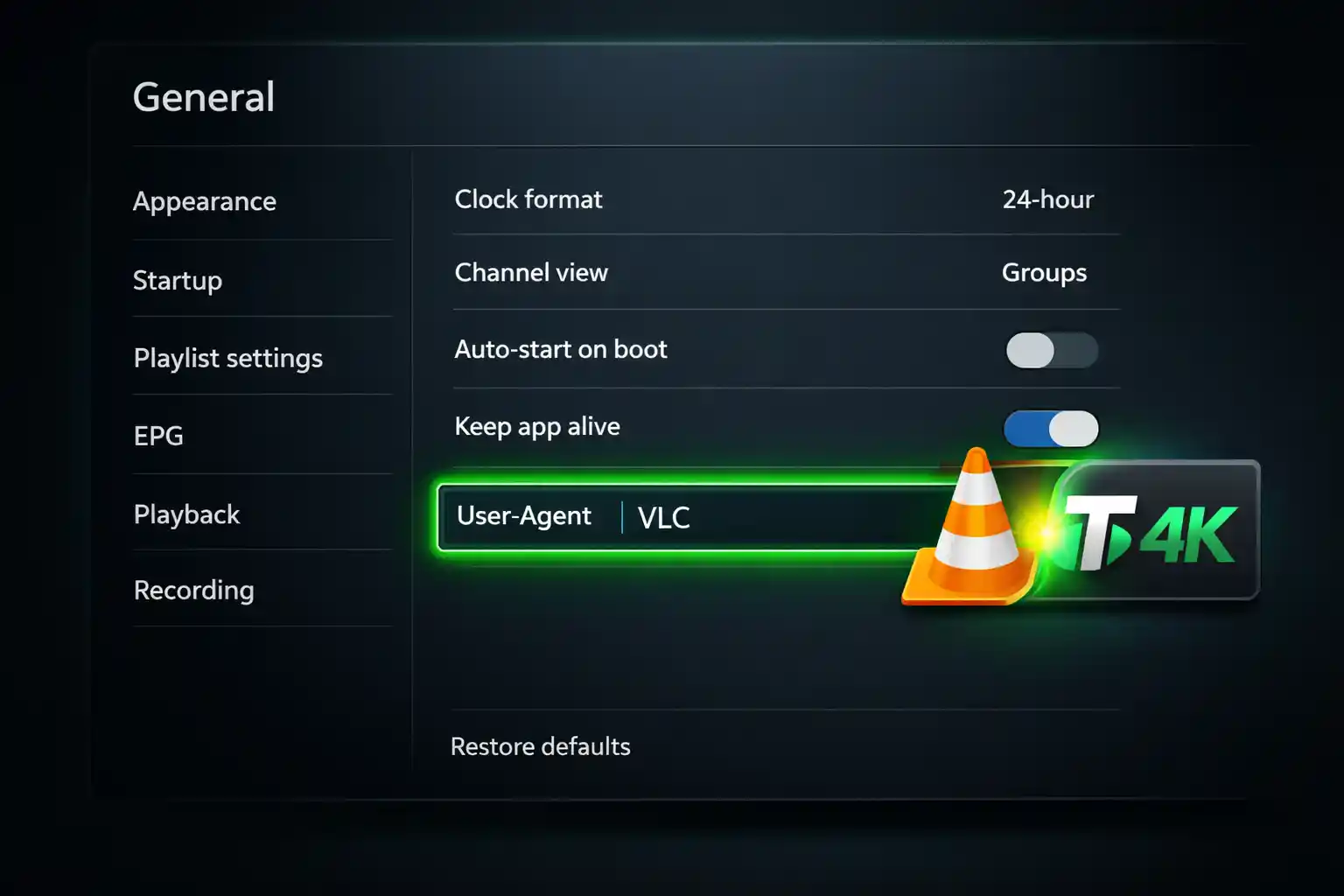
Step 1: Accessing the General Settings menu to apply the User-Agent fix.
The Technical #1 TiviMate Error 401 Fix: User-Agent Spoofing
The most common reason for a 403 Forbidden error is that your provider is blacklisting the "TiviMate" app signature to force users into using their own subpar applications. Spoofing your User-Agent is the industry-standard TiviMate Error 401 fix for this scenario. By changing this string, TiviMate "pretends" to be a different application like VLC or an IPTV Smarters Pro app, bypassing the server-side block.
How to Set a Custom User-Agent (Step-by-Step):
- Navigate to Settings > General.
- Select User-Agent.
-
Type in
VLC,IPTVSmartersPro, orMXPlayer. - Restart the app and refresh your playlist to apply the TiviMate Error 401 fix.
Pro Tip: If your guide remains blank after fixing the login, check our TiviMate EPG Fix Guide to restore your channel data instantly.
Advanced Fixes for Stalker Portal Users
If you are using a MAC-based Stalker Portal, a TiviMate Error 401 fix often involves ensuring your MAC address hasn't "drifted". TiviMate can sometimes generate a secondary MAC address that doesn't match the one you provided to your supplier. Always manually verify that the MAC address in Settings > Playlists > [Your Playlist] > MAC Address is exactly what your provider has on file. Some Stalker servers also require a specific "flavor" of portal login, such as "Diablo," to function correctly with the latest TiviMate updates.
Solving 403 Forbidden with VPN and DPI Management
In 2026, many ISPs use Deep Packet Inspection (DPI) to identify and block IPTV traffic by scrutinizing data packet headers. A TiviMate Error 401 fix in this environment often requires a high-quality VPN with obfuscated servers to hide your traffic signature.
- WireGuard Protocol: Switch your VPN to the WireGuard protocol to reduce latency and bypass advanced firewalls more efficiently than OpenVPN.
- IP Address Collision: If you use the same IPTV account on two different IP addresses simultaneously, your provider will trigger a 403 Forbidden response to prevent account sharing.
- Dedicated IP: If you consistently get a 403 while using a public VPN, your current server may be blacklisted. Using a dedicated IP can solve this permanently.
Cache Management and Playlist Refresh
Sometimes the 401 error is simply a local caching bug. A standard TiviMate Error 401 fix step is to head to your Android device settings, find TiviMate, and select "Clear Cache". This forces the app to re-authenticate with the server using your fresh credentials. If you have recently changed your password, you may also need to delete the playlist entirely and re-add it using the Xtream Codes API to ensure all tokens are refreshed.
Official Support and External Resources
Always ensure your TiviMate app is running the latest version to avoid compatibility bugs. You can find official release notes and security patches on the TiviMate Google Play Store page. For real-time updates on server outages, check with your provider's community or search for your specific error code in the TiviMate Reddit Community.
Conclusion: Mastering Your 4K Setup
Success with a TiviMate Error 401 fix requires a methodical approach—checking your credentials, spoofing your app identity, and managing your network connection. By following these professional steps, you can eliminate "Unauthorized" messages and enjoy a premium experience on TiviMate4K.com. Explore our TiviMate Mastery Series for more advanced device optimizations.