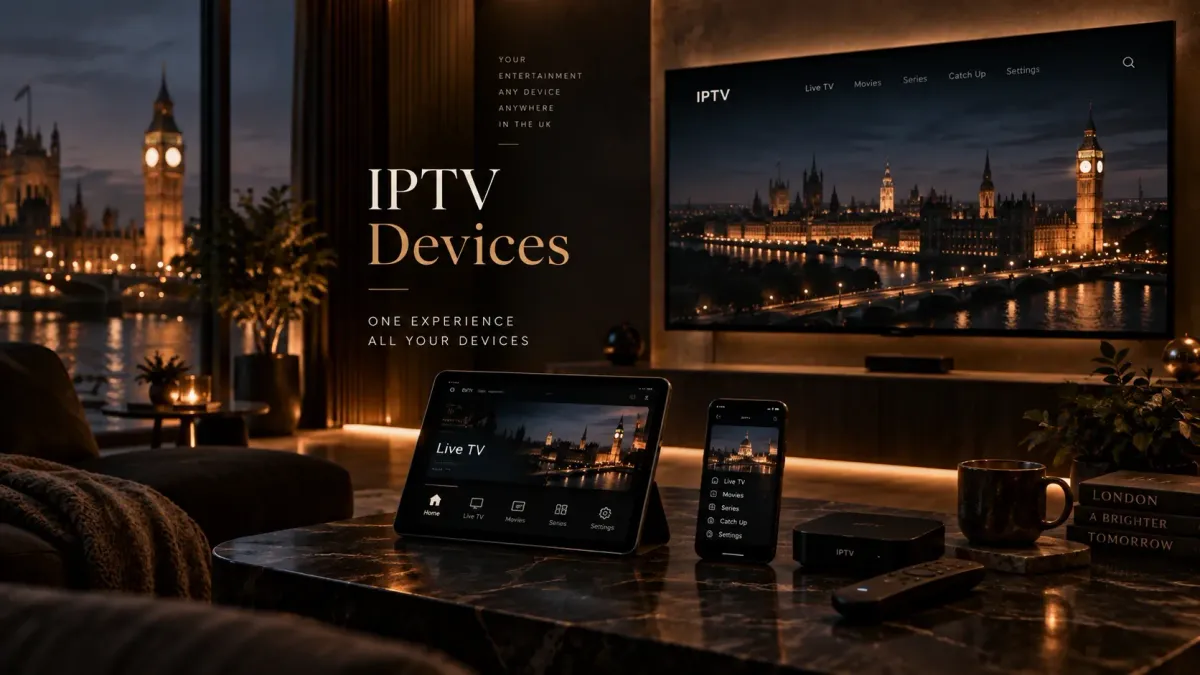
The best IPTV device is not simply the fastest box.
For most UK households, the better question is:
**Which device gives you the player apps, network connection, storage and remote-control experience you actually need?**
A compact Fire TV stick can be enough for straightforward live viewing. A Google/Android TV streamer can make more sense when app flexibility, Ethernet and storage matter. A recent Smart TV can avoid an extra box entirely. Apple TV can be excellent hardware if the player you want exists on tvOS. Dedicated IPTV/Android boxes become more relevant when recording, local storage or a set-top-box-style workflow matters.
The important order is:
choose the device class;
confirm your preferred player is available on that exact platform;
check network and storage requirements;
then follow the setup guide.
If you already know the hardware and only need player recommendations, use the IPTV apps and players guide. If you want the installation process rather than device selection, go to the IPTV installation guide.
Quick device comparison
There is no reason to buy extra hardware if the device you already own supports the player and features you need.
Comparison table
| Device class | Main strength | Main limitation | Best suited to |
|---|---|---|---|
| Fire TV Stick / Fire TV streamer | Compact, simple TV-first hardware | Current models now span Fire OS and Vega OS, so app compatibility is model-dependent | Straightforward living-room use |
| Google TV / certified Android TV streamer | Google Play ecosystem, broad player choice | Quality/specs vary widely across devices | Users who want flexibility |
| Dedicated Android/IPTV box | More ports, storage and set-top-box features on suitable models | Hardware quality and software support vary dramatically | Recording, wired networking, heavier use |
| Smart TV native app | No extra hardware or remote | App selection depends on Samsung Tizen, LG webOS or the TV's OS/store | Minimal setup |
| Apple TV 4K | Strong hardware, polished tvOS, Ethernet option | Android-only players such as TiviMate are unavailable | Apple households using tvOS-compatible players |
| Windows PC / laptop | Flexible software and easy troubleshooting | Less convenient as a permanent TV appliance | Desktop viewing and testing |
| Phone / tablet | Portable and convenient | Not ideal for remote-first living-room viewing | Secondary/mobile viewing |
The four questions to answer before buying anything
1. Which player do you want to use?
Device selection and app selection are linked.
For example:
Do not buy a device first and assume every IPTV player will install on it.
Use the apps and players guide to check current player support.
- TiviMate is designed for Android TV-class devices;
- Smarters Pro has a much broader cross-platform footprint;
- Sparkle is focused on Android/Google TV and Fire TV;
- native Samsung/LG players depend on those television app stores.
2. Do you need wired Ethernet?
Wi-Fi is convenient, but Ethernet removes one major source of variability.
Ethernet becomes more useful when:
A wired connection cannot repair a poor remote stream, but it can remove local Wi-Fi instability from the equation.
- the router is near the TV;
- Wi-Fi is congested;
- you regularly watch high-bitrate live streams;
- you use multiview;
- you record while watching;
- you want predictable network behaviour.
3. Do you need local storage or recording?
Recording can require much more than an app-level “Record” button.
Check:
If recording is important, a device with more storage and accessible ports can be a better fit than the smallest stick.
- available internal storage;
- support for USB/external storage;
- whether the player can write to that storage;
- whether the operating system restricts background recording;
- whether your source permits enough simultaneous connections.
4. Do you actually need 4K?
A “4K” badge is not enough.
Useful 4K capability depends on:
For live sport, smooth 50/60 fps playback can matter more than simply having a 4K label.
- source resolution and bitrate;
- codec support;
- hardware decoder;
- HDMI output;
- TV capability;
- HDR format;
- frame rate;
- network stability.
Fire TV Stick: compact, popular, but compatibility now depends on the generation
Fire TV has historically been one of the easiest ways to add TV apps to almost any HDMI television.
That remains true as a device category, but the platform changed materially in 2025.
Amazon's current Fire TV documentation shows two different operating-system families:
Amazon also states that, starting with the Fire TV Stick 4K Select, future Fire TV Sticks will run Vega OS.
That matters because you should no longer assume:
“If an app works as an Android/Fire OS APK, it will work on every new Fire TV Stick.”
When a Fire TV device makes sense
A Fire TV device is a reasonable choice when:
- you want a compact HDMI device;
- remote-first navigation matters;
- the exact player you want is available for that exact model/OS;
- Wi-Fi is sufficient or you are willing to use an appropriate Ethernet solution;
- you do not need extensive local storage.
The current compatibility warning
Before buying a new Fire TV Stick specifically for IPTV, verify:
This is more important in 2026 than following an old article that simply says “buy a Firestick and sideload the APK”.
For the full current setup workflow, use the IPTV on Firestick guide.
- the exact model;
- whether it runs Fire OS or Vega OS;
- whether your chosen player officially supports that model/OS;
- whether the installation method is current.
Google TV and certified Android TV devices: strongest app flexibility
Google TV and Android TV remain particularly useful when you want access to TV apps through Google Play.
Google's own Android TV documentation confirms that compatible TV apps can be installed from the Play Store.
That makes the platform attractive for users who want:
Current reference point: Google TV Streamer (4K)
Google's current UK Google TV Streamer illustrates what a more capable modern streamer can include:
Those exact specifications are not a universal requirement for IPTV.
They do show why a larger streamer can be more comfortable than an entry-level stick when you care about:
- Android TV OS;
- up to 4K HDR at 60 fps;
- 4 GB memory;
- 32 GB storage;
- built-in Gigabit Ethernet;
- Wi-Fi;
- HDMI 2.1.
- installing several apps;
- local storage headroom;
- wired networking;
- smoother switching between applications.
When Google/Android TV makes sense
Choose this device class when:
- app flexibility matters;
- you want a broad Play Store ecosystem;
- TiviMate is important;
- Ethernet is desirable;
- you want more storage than many compact sticks provide;
- you prefer remote-first TV navigation.
Avoid generic “Android box” assumptions
Not every box labelled “Android” is equivalent to certified Android TV/Google TV hardware.
Generic boxes can differ in:
If you want a box rather than a mainstream streamer, continue to the dedicated IPTV boxes guide.
- firmware quality;
- update support;
- Play Store certification;
- DRM;
- remote interface;
- codec support;
- security patch level.
Dedicated IPTV and Android boxes: more useful when hardware features matter
A dedicated box can make sense when a streaming stick feels too constrained.
Depending on the model, boxes may offer:
But this category has the widest quality range.
A box can be excellent hardware or an unsupported generic Android device with weak firmware.
Features worth prioritising
If you are comparing boxes, focus on:
Do not choose a box because the product page claims “8K” if the real need is stable 4K live playback and reliable app support.
The IPTV boxes guide owns the deeper box comparison.
- current OS/software support;
- certified app ecosystem;
- Ethernet speed;
- Wi-Fi generation;
- internal storage;
- USB/storage support;
- codec support;
- 4K 50/60 fps capability;
- remote quality;
- sleep/wake reliability;
- developer/vendor updates.
Smart TV native apps: simplest when the right player exists
If your television already has a suitable IPTV player in its own app store, you may not need another device.
This is the simplest hardware arrangement:
**TV → app → playlist/service**
No HDMI stick, extra power adapter or second remote is required.
The limitation: Smart TV operating systems are not interchangeable
Samsung TVs generally use Tizen.
LG TVs use webOS.
Sony and other manufacturers may use Google TV/Android TV on some models.
That means a player available on one television brand may be unavailable on another.
Do not assume:
- an Android APK can be installed on Samsung Tizen;
- a Fire TV app exists on LG webOS;
- an Apple TV app exists on every Smart TV store.
When native Smart TV is enough
Stay with the television itself when:
- your preferred player exists in the TV's official app store;
- performance is smooth;
- you do not need extensive recording/storage;
- the TV receives ongoing software updates;
- you prefer one remote and no external box.
When an external streamer is a better fit
Consider one when:
- your preferred app is missing;
- the TV app store is limited;
- the TV is slow;
- storage is extremely limited;
- app updates have stopped;
- you want Ethernet or a different network path;
- recording/multiview pushes beyond what the TV handles comfortably.
Apple TV 4K: strong hardware, different app ecosystem
Apple TV is a powerful streaming box, but device selection must still start with app compatibility.
TiviMate does not publish an Apple TV/tvOS version.
Players such as Smarters Pro and other tvOS IPTV players do exist.
Current Apple TV 4K hardware
Apple's current UK technical specifications list:
For IPTV, the most relevant distinction is not the processor benchmark.
It is whether the player you need exists on tvOS.
- A15 Bionic;
- 64 GB on the Wi-Fi model;
- 128 GB on the Wi-Fi + Ethernet model;
- Wi-Fi 6;
- Gigabit Ethernet on the Ethernet model;
- HDMI 2.1;
- 4K/HDR support.
Apple TV makes sense when
- you already use the Apple ecosystem;
- your chosen player has a current tvOS app;
- polished remote/TV integration matters;
- you value the Ethernet model for wired networking.
Apple TV makes less sense when
your setup specifically depends on Android-only software such as TiviMate.
Check the apps and players guide before choosing the hardware.
Windows PC or laptop: flexible, but not always the best living-room device
A Windows machine can run:
That makes it useful for:
It is less elegant if you want:
A mini PC can be powerful, but power is rarely the limiting factor for ordinary playback.
The question is whether you want a computer experience or a TV appliance.
Phone and tablet: useful secondary devices, not always ideal as the main TV player
Phones and tablets are useful for:
But many TV-first players are not optimised for touch devices.
TiviMate, for example, explicitly positions itself for large-screen Android TV and remote navigation rather than phones/tablets.
If mobile use matters, choose the player first, then confirm it supports iOS or Android mobile properly.
Firestick vs Android/Google TV box
This is one of the most common device decisions.
Choose a Fire TV device when
- compact hardware matters;
- you want a mainstream TV ecosystem;
- the exact player is confirmed for that exact Fire TV model;
- you are comfortable with the current Fire OS/Vega app model.
Choose Google/Android TV hardware when
- Google Play app choice matters;
- TiviMate is a priority;
- you want more storage;
- built-in Ethernet matters;
- you want fewer platform-specific surprises around Android TV apps.
Choose a more capable box when
Do not decide purely by RAM or processor marketing.
- recording is important;
- you need USB storage;
- you want multiple ports;
- you need a traditional set-top-box workflow;
- you expect heavy multiview use.
Streaming stick vs native Smart TV app
Use the Smart TV directly when
- the required player is available;
- the television is recent and responsive;
- one remote is preferable;
- advanced storage/recording is not essential.
Add a streaming device when
An external device can also be replaced independently of the TV, which can extend the useful life of an older television.
- the Smart TV app store lacks your player;
- the TV is slow;
- you want a newer app platform;
- you want to isolate streaming from the television's aging software.
Which device features matter most for IPTV?
1. App compatibility
This is first.
A fast device is useless if your required player does not exist for it.
2. Hardware video decoding
Prefer hardware that supports the codecs and resolutions your legitimate source uses.
Common modern considerations include:
Do not assume every stream uses the same codec.
3. Ethernet
Built-in Ethernet is valuable when you want predictable local networking.
Google's current Google TV Streamer includes Gigabit Ethernet.
Apple's current 128 GB Apple TV 4K model includes Gigabit Ethernet.
Streaming sticks may require an adapter, and adapter speed can differ by device.
4. Wi-Fi
Look beyond the router's advertised speed.
Useful real-world factors include:
A device with newer Wi-Fi does not repair an overloaded remote stream.
5. Internal storage
Storage affects:
Very low free storage can make TV devices sluggish.
6. USB / external storage
Useful for:
Support varies by OS, player and filesystem.
Do not buy storage until you know the player can use it the way you expect.
7. Memory
More RAM can help:
But a high RAM number does not compensate for poor firmware, weak decoding or bad network conditions.
8. Remote control quality
For daily TV use, this matters more than benchmark charts.
Check:
9. Update support
A device is also a software platform.
Longer update support improves:
This is one reason certified mainstream devices can be safer long-term choices than unbranded Android boxes.
4K IPTV: what the device actually needs
If 4K playback matters, verify the whole chain:
**source → player → decoder → device output → HDMI → television**
A 4K television does not prove the player receives a 4K stream.
A 4K streaming device does not prove the source is actually 4K.
Useful hardware factors include:
For sport, a stable 50/60 fps stream can look better in motion than a higher-resolution source delivered poorly.
Recording: choose the device around storage, not only the app
If recording is important, ask these questions before buying:
A small stick can support recording in some workflows, but a box with more storage and accessible ports can be more practical for regular DVR use.
Multiview: hardware headroom matters
Multiview means decoding several live streams at once.
The practical limit depends on:
Do not assume that because an app offers multiview, every device can display the same number of streams smoothly.
IPTV device for live sport
For live sport, prioritise:
Do not select hardware based on claims that it includes particular sports channels.
The device is only the playback platform.
Current sports/channel availability comes from the separate authorised service/source.
Does a better device stop buffering?
Sometimes—but only when the old device is the bottleneck.
A new device can help if the previous hardware had:
A new device will not fix:
If multiple devices buffer on the same channel, look beyond the hardware.
Should you buy a device with Ethernet?
Ethernet is worth prioritising when:
It is not mandatory for every household.
Strong, stable Wi-Fi can work perfectly well.
The advantage of Ethernet is predictability.
Should you buy extra storage?
Extra storage is useful when you actually need:
It is not a performance upgrade by itself.
First check whether:
Should you replace a working Smart TV with a streaming box?
Usually not just for the sake of having another device.
Add external hardware when it solves a real constraint:
If the Smart TV already runs your preferred player smoothly, keep using it.
Device-selection checklist
Before buying, confirm:
FAQ
What is the best device for IPTV in the UK?
There is no universal best device. Fire TV hardware can be compact and convenient, Google/Android TV offers broad app flexibility, Smart TV apps avoid extra hardware, Apple TV is strong when your player supports tvOS, and dedicated boxes are useful when storage, ports or recording matter.
Is a Firestick enough for IPTV?
It can be, provided the exact player you want is compatible with that exact Fire TV model. In 2026 this matters because Amazon now sells both Fire OS and Vega OS Fire TV Stick generations.
Is an Android TV box better than a Firestick?
It can be more flexible when you want Google Play apps, more storage, built-in Ethernet or USB ports. A Fire TV Stick can still be simpler and smaller. Compare the actual requirements rather than the form factor alone.
Can I use IPTV directly on a Smart TV?
Yes, if a compatible player exists in the television's official app store. Samsung Tizen, LG webOS and Google/Android TV use different app ecosystems.
Is Apple TV good for IPTV?
Apple TV 4K is capable hardware, but app compatibility is the deciding factor. TiviMate is not available on tvOS, while other IPTV players are.
Do I need Ethernet for IPTV?
No, but Ethernet can provide a more consistent local connection than congested Wi-Fi. It is especially useful for live sport, multiview, recording or troubleshooting unstable wireless performance.
How much storage do I need?
Basic playback uses relatively little local storage, but recording and installing many apps can require much more. Choose storage based on your planned player and recording workflow rather than a universal number.
Do I need a 4K device for IPTV?
Only if you want to output 4K content to a 4K television. The source itself must also be genuine 4K, and codec, bitrate, frame rate and network stability still matter.
Does more RAM improve IPTV?
More memory can improve app switching, large EPGs and multiview, but RAM alone does not guarantee better playback. Decoder support, firmware, network and app quality matter too.
Can I record IPTV on a Firestick?
Some player/device combinations can record, but storage access, available space, OS behaviour and the app all matter. If recording is a core requirement, compare the workflow before choosing a compact stick.
Can I install Android APKs on every Fire TV Stick?
No blanket assumption is safe anymore. Amazon's Fire TV Stick 4K Select uses Vega OS rather than Fire OS/Android, and Amazon says future Fire TV Sticks will use Vega. Verify app support for the exact Fire TV model.
Is a cheap generic Android box good enough?
It may play video, but generic boxes vary widely in certification, firmware, updates, DRM, codecs and security. Compare long-term software support and app compatibility, not only RAM/storage claims.