
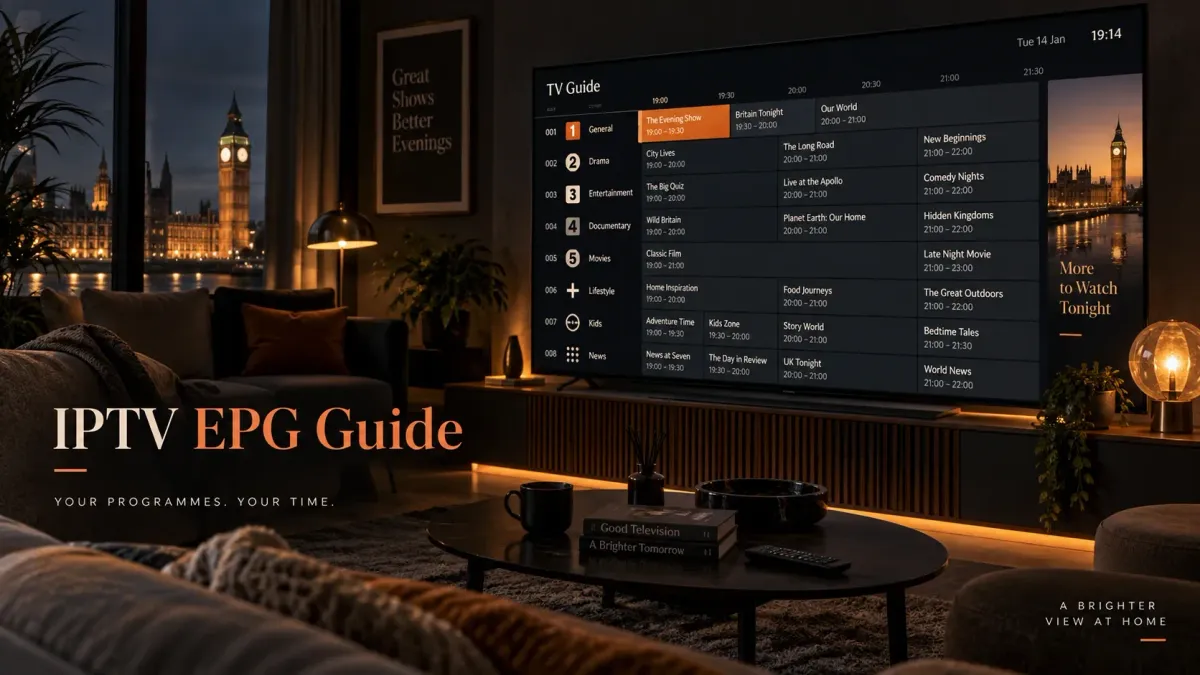
**EPG stands for Electronic Programme Guide.**
It is the schedule data behind the TV-guide grid in an IPTV player:
The important point is that the **EPG is data**.
It is not the live video stream itself.
That distinction explains many IPTV guide problems.
A channel can play perfectly while its guide says:
> **No Information**
And a guide can show programme titles even when the live stream itself is unavailable.
Those are different layers.
what is on now;
what is on next;
programme start and end times;
titles;
descriptions;
categories;
sometimes episode information, artwork and ratings.
IPTV EPG in one sentence
An IPTV EPG is a schedule dataset—commonly supplied in **XMLTV** format—that a player matches to channels from a playlist or account.
The three parts of a working IPTV guide
A usable EPG normally requires three things:
Conceptually:
```text PLAYLIST / ACCOUNT Channel A Channel B Channel C │ │ channel identifiers ▼ EPG / XMLTV DATA Channel A → programme schedule Channel B → programme schedule Channel C → programme schedule │ ▼ IPTV PLAYER TV-guide grid ```
If any link in that chain fails, the guide can be incomplete or wrong.
The live stream and EPG are separate
Imagine this simplified setup.
The playlist says:
```text Channel One → https://stream.example.invalid/live/one ```
The EPG says:
```text Channel One 18:00 News 19:00 Documentary 20:00 Film ```
The player combines them.
The stream URL answers:
> “Where does the video come from?”
The EPG answers:
> “What programme should be shown in the guide at this time?”
That is why changing one does not automatically fix the other.
What is XMLTV?
**XMLTV** is a mature XML-based format for television listings data.
The XMLTV project describes it as a format for storing TV listings.
A simplified XMLTV file can contain:
A very small example might look like this:
```xml <tv> <channel id="channel-one.uk"> <display-name>Channel One</display-name> </channel> <programme start="20260916190000 +0100" stop="20260916200000 +0100" channel="channel-one.uk"> <title>Evening News</title> </programme> </tv> ```
The important relationship is:
```text <channel id="channel-one.uk"> ```
and:
```text programme ... channel="channel-one.uk" ```
The programme record points back to the channel ID.
What information can XMLTV contain?
Depending on the source, programme records can include:
Not every XMLTV source provides all fields.
A technically valid guide can still be very minimal.
How an M3U channel connects to XMLTV
A common M3U IPTV entry can include a field called:
```text tvg-id ```
Example:
```m3u #EXTM3U #EXTINF:-1 tvg-id="channel-one.uk" tvg-name="Channel One",Channel One https://stream.example.invalid/live/channel-one ```
The EPG might contain:
```xml <channel id="channel-one.uk"> <display-name>Channel One</display-name> </channel> ```
The shared value:
```text channel-one.uk ```
gives the player a strong mapping signal.
Why `tvg-id` matters
Think of the visible channel name as a label for humans.
Think of the channel ID as a machine-friendly key.
These names might all refer to the same service:
```text Channel One Channel One HD UK: Channel One Channel One London ```
String matching those names can be unreliable.
A stable identifier is better.
For example:
```text tvg-id="channel-one.uk" ```
can remain the same even if the visible label changes.
Example of a correct mapping
Playlist:
```m3u #EXTINF:-1 tvg-id="news-one.uk",News One https://stream.example.invalid/news-one ```
XMLTV:
```xml <channel id="news-one.uk"> <display-name>News One</display-name> </channel> <programme start="20260916180000 +0100" stop="20260916190000 +0100" channel="news-one.uk"> <title>News at Six</title> </programme> ```
The identifier matches:
```text news-one.uk ```
The player has a clear mapping.
Example of an ID mismatch
Playlist:
```m3u #EXTINF:-1 tvg-id="news-one-hd.uk",News One HD https://stream.example.invalid/news-one-hd ```
XMLTV:
```xml <channel id="news-one.uk"> <display-name>News One</display-name> </channel> ```
The playlist says:
```text news-one-hd.uk ```
The guide says:
```text news-one.uk ```
Those are different identifiers.
The XMLTV file can download successfully and contain valid programme data while the player still shows:
> No Information
for that playlist channel.
Why a successful EPG download does not prove mapping works
This is one of the most common misunderstandings.
A player can successfully:
and still fail to show listings for a channel.
Why?
Because downloading answers:
> “Did I receive guide data?”
Mapping answers:
> “Which playlist channel should receive this guide data?”
Those are separate questions.
What is `tvg-name`?
Some M3U playlists also include:
```text tvg-name ```
Example:
```m3u #EXTINF:-1 tvg-id="news-one.uk" tvg-name="News One" group-title="News", News One HD ```
Players may use channel names as additional matching signals.
But name matching is usually less robust than a stable ID because names can vary in:
For example:
```text News One NEWS ONE UK | News One News One HD News One FHD ```
are visually related but not identical strings.
Different players can use different matching rules
There is no guarantee that every IPTV player maps channels in exactly the same order.
Kodi's current IPTV Simple implementation, for example, documents matching logic that prefers:
Another player may implement different fallback behaviour.
So a playlist that maps automatically in one app can require manual assignment in another.
What is an EPG URL?
An EPG source can be supplied as:
Example fake URL:
```text https://epg.example.invalid/guide.xml ```
Do not use that URL—it is intentionally non-functional.
It only illustrates the structure.
M3U can also advertise an EPG location
Some M3U implementations use a playlist-level field such as:
```text x-tvg-url ```
Example:
```m3u #EXTM3U x-tvg-url="https://epg.example.invalid/guide.xml" ```
Whether a player reads that field depends on the player.
Do not assume every application discovers the EPG automatically from the playlist.
What about Xtream Codes?
With Xtream-style access, the player may obtain:
through the structured account/API workflow.
That can make EPG setup feel more automatic than entering a separate M3U and XMLTV URL.
But the underlying principle is unchanged:
**channel data still has to map to programme data.**
For the broader difference between access formats, use M3U vs Xtream Codes.
What does “EPG source” actually mean?
An EPG source is the origin from which programme schedule data is obtained.
The source could contain:
One IPTV player can sometimes use:
Exact support depends on the application.
Why some channels have EPG and others do not
A partial guide usually means something different from a totally empty guide.
If:
```text Channel A → guide works Channel B → guide works Channel C → No Information Channel D → No Information ```
the EPG source itself is probably not completely unreachable.
Possible causes include:
Why all channels show “No Information”
If every channel is blank, investigate broad causes first:
Do not manually remap 300 channels before checking whether the source loaded at all.
Blank guide versus wrong-time guide
These symptoms point to different layers.
Blank guide
Likely areas:
- EPG source;
- channel mapping;
- missing channel in guide data;
- cache/update.
Correct programmes at wrong times
Likely areas:
Do not treat them as the same problem.
- timezone interpretation;
- source offset;
- player time shift;
- device clock/timezone.
How XMLTV stores time
XMLTV programme records can include time values such as:
```text 20260916190000 +0100 ```
Conceptually:
```text 2026-09-16 19:00:00 UTC offset +01:00 ```
The XMLTV DTD allows explicit timezone information.
If no explicit timezone is given, XMLTV's DTD says UTC is assumed.
That matters when the player converts schedule times for display.
UK time: GMT and BST
The UK changes clocks during the year.
According to current GOV.UK guidance:
For 2026:
That seasonal change can expose bad EPG time handling.
Example: correct summer timestamp
An XMLTV programme at 20:00 BST could be represented with an explicit offset:
```xml <programme start="20260916200000 +0100" stop="20260916210000 +0100" channel="channel-one.uk"> ```
The `+0100` tells the parser the schedule is one hour ahead of UTC.
Example: winter timestamp
After the UK returns to GMT, an equivalent local 20:00 programme may appear as:
```xml <programme start="20261116200000 +0000" stop="20261116210000 +0000" channel="channel-one.uk"> ```
A well-formed source/player combination should handle that transition correctly.
Why EPG can be one hour wrong
A one-hour error often suggests a timezone or daylight-saving problem.
Possible causes:
A one-hour shift is usually not solved by changing channel IDs.
Why EPG can be several hours wrong
Larger shifts can indicate:
Identify whether **all** channels are shifted by the same amount.
If yes, a global time problem is more likely than per-channel mapping.
Do not use time shift to hide a bad mapping problem
Suppose:
That is a mapping error.
Changing the global EPG time shift will not solve it.
Time shift changes **when** listings appear.
Mapping changes **which channel** gets those listings.
Five common IPTV EPG failure modes
Symptoms:
Check:
- guide update fails;
- all channels blank;
- player reports download/parsing error.
- source URL;
- account validity;
- network;
- server status.
2. Channel not in EPG source
Symptoms:
The source may simply not contain schedule data for that channel.
- most channels have listings;
- a specific channel stays blank;
- manual search finds no matching guide entry.
3. Channel ID mismatch
Symptoms:
- EPG downloaded;
- affected channel exists in both datasets;
- IDs differ;
- manual assignment can work.
4. Timezone/offset error
Symptoms:
- programme titles appear;
- all programmes are early/late by a consistent amount.
5. Stale cache
Symptoms:
Cache clearing can help—but only after the source and mapping have been checked.
- provider changed guide data;
- player continues showing old information;
- normal refresh does not immediately replace it.
A diagnosis matrix
Reference table
| Symptom | Most likely layer to inspect first |
|---|---|
| Every channel says No Information | EPG source / assignment |
| Only a few channels are blank | Mapping / missing EPG records |
| Wrong programmes on a channel | Mapping |
| All listings exactly 1 hour early/late | Timezone / DST / offset |
| Old schedules remain after update | Cache / refresh |
| Guide loads but streams fail | Stream/service layer, not EPG |
| Streams work but guide is blank | EPG/mapping layer |
| One player maps correctly, another does not | Player matching rules/settings |
Step 1: decide whether the problem is global or partial
Ask:
> Does the guide fail for every channel, or only some?
Every channel
Start with:
- EPG source;
- source assignment;
- update status.
Some channels
Start with:
This one distinction prevents a lot of unnecessary troubleshooting.
- channel IDs;
- source coverage;
- mapping.
Step 2: separate guide loading from guide matching
You want to answer two independent questions:
Did the guide load?
Evidence can include:
- update completed;
- programme records appear somewhere;
- some channels have schedules.
Did this channel match?
Evidence can include:
If the source loaded but the channel did not match, repeated downloading is not the primary fix.
- matching `tvg-id`;
- matching display name;
- successful manual assignment.
Step 3: compare one affected channel
Use one channel as a test case.
Example playlist:
```m3u #EXTINF:-1 tvg-id="documentary-one.uk",Documentary One HD https://stream.example.invalid/documentary-one ```
Example XMLTV:
```xml <channel id="documentary-one.uk"> <display-name>Documentary One</display-name> </channel> ```
That looks compatible.
Now compare a broken example.
Playlist:
```text tvg-id="doc-one-hd.uk" ```
XMLTV:
```text id="documentary-one.uk" ```
That mismatch is a much stronger lead than the visible channel name.
Step 4: check whether the guide contains the channel at all
A player cannot map to programme data that does not exist.
An EPG source may cover:
If the guide does not contain the channel, changing the player cannot invent the schedule.
Step 5: check time separately
If programme names appear but are shifted:
Do not remap channels unless the wrong programme—not merely wrong time—is being shown.
Step 6: refresh only after understanding the layer
A normal EPG refresh is reasonable after:
But repeatedly refreshing the same unchanged data does not repair:
Step 7: clear cache last, not first
Cached EPG data can become stale.
Clearing it can be useful.
But do it after checking:
Why?
Because clearing local data does not fix a bad remote source.
It only forces the player to rebuild from that source.
Playlist refresh and EPG refresh are different
A playlist update can change:
An EPG update can change:
Those are separate datasets.
If the provider changes a channel ID in the playlist without updating the EPG mapping, the stream can continue working while the guide breaks.
Why provider channel renames can break mapping
Suppose the old playlist had:
```text tvg-id="sports-main.uk" ```
After an update:
```text tvg-id="sports-main-hd.uk" ```
But the XMLTV still uses:
```text sports-main.uk ```
The guide may disappear for that channel even though:
Regional channels create mapping challenges
UK television has regional variations.
For example, a guide source might distinguish:
```text channel-london.uk channel-wales.uk channel-scotland.uk ```
A playlist that labels all of them generically as:
```text Channel One ```
can make automatic name matching ambiguous.
Stable IDs are particularly valuable for regional feeds.
HD and SD duplicates can create the same problem
A playlist may contain:
```text Channel One SD Channel One HD Channel One FHD ```
The EPG source might contain only one schedule ID because all quality variants show the same programmes.
The player/provider then needs a sensible mapping strategy.
Multiple video streams can legitimately share one schedule.
+1 channels need different schedule timing
A +1 channel repeats the main channel later.
It should not necessarily use the main channel's programme timestamps unchanged.
Example:
```text Main channel: 19:00 Programme A +1 channel: 20:00 Programme A ```
If both feeds are mapped to identical timestamps without correction, the +1 guide can be wrong.
Temporary sports/event feeds are difficult for EPG
Temporary event channels can:
So a large sports playlist can have more EPG gaps than a stable general-entertainment group.
That does not necessarily mean the whole EPG system is broken.
VOD is not EPG in the same sense
Live TV guide data normally describes a time-based schedule.
VOD is selected on demand.
VOD metadata can include:
But that is different from a linear EPG grid.
Do not treat “VOD metadata missing” as the same issue as “live channel EPG missing”.
Catch-up depends on more than EPG
Catch-up features can use EPG data to identify past programmes.
But a programme appearing in the guide does not prove the service has an archived recording of it.
Catch-up needs provider/source support.
The guide can know:
> “Programme A aired at 20:00”
without the provider storing a playable replay.
Recording also uses guide metadata
Some players let you schedule a recording from an EPG entry.
The guide supplies:
But recording success still depends on:
A perfect EPG cannot guarantee a successful recording.
How many days of EPG should you have?
There is no universal requirement.
A source might provide:
More days can be useful for:
But guide length alone does not measure quality.
A shorter accurate guide is better than a long guide mapped to the wrong channels.
EPG update frequency
Schedule data changes.
Examples:
So EPG data should be refreshed periodically.
Exact update intervals depend on:
There is no one correct refresh frequency for every setup.
Auto-refresh can help, but it does not solve bad data
Some players can refresh the playlist/EPG:
That is useful for fresh schedule data.
But automation only downloads the source more often.
It cannot repair:
Multiple EPG sources
Some players support more than one guide source.
This can help when one source covers:
and another covers:
But multiple sources also introduce matching questions.
If two sources both contain a channel with similar names, the player needs to know which data to use.
More sources are not automatically better.
Why duplicate EPG data can be confusing
If two guide sources describe the same channel differently, you can see:
A clean single mapping is easier to troubleshoot.
If “No Information” is only in TiviMate
This generic page stops at the data model.
TiviMate has its own:
Use the dedicated TiviMate EPG No Information guide for those app-specific steps.
If you are still setting up the service
Do not start with low-level XML inspection unless necessary.
First complete the normal setup path:
Use the IPTV installation guide for the generic setup workflow.
If you do not know whether you have M3U or Xtream access
That distinction affects how:
may be supplied.
Use M3U vs Xtream Codes first.
Safe XMLTV example
This example uses fake `.invalid` domains and synthetic names.
```xml <?xml version="1.0" encoding="UTF-8"?> <tv source-info-name="Example Guide"> <channel id="news-one.uk"> <display-name>News One</display-name> <icon src="https://images.example.invalid/news-one.png"/> </channel> <channel id="film-one.uk"> <display-name>Film One</display-name> </channel> <programme start="20260916180000 +0100" stop="20260916190000 +0100" channel="news-one.uk"> <title>Evening News</title> <desc>Example programme description.</desc> <category>News</category> </programme> <programme start="20260916190000 +0100" stop="20260916210000 +0100" channel="film-one.uk"> <title>Example Film</title> <category>Movie</category> </programme> </tv> ```
The important parts are:
Safe matching M3U example
```m3u #EXTM3U x-tvg-url="https://epg.example.invalid/guide.xml" #EXTINF:-1 tvg-id="news-one.uk" tvg-name="News One" group-title="News",News One https://stream.example.invalid/news-one #EXTINF:-1 tvg-id="film-one.uk" tvg-name="Film One" group-title="Movies",Film One https://stream.example.invalid/film-one ```
The IDs match:
```text news-one.uk film-one.uk ```
That is the core relationship.
Safe broken example
M3U:
```text tvg-id="film-one-hd.uk" ```
XMLTV:
```text channel id="film-one.uk" ```
The stream can work.
The XMLTV can be valid.
But the player may fail to map them automatically.
Never publish real playlist credentials while troubleshooting
A real M3U URL can embed:
Do not paste your real playlist or EPG credentials into:
Redact sensitive values.
Do not use random public EPG lists as a first fix
This page does not provide:
Why?
Because the correct guide source should match:
A random XMLTV file can create more mismatches rather than fewer.
EPG quality checklist
A good EPG is not only “present”.
Test:
Coverage
- priority channels have programme data;
- regional feeds map correctly;
- temporary event channels are understandable.
Timing
- current programme aligns with real time;
- next programme starts at the expected time;
- DST changes do not create a one-hour offset.
Identification
- channel IDs are stable;
- HD/SD variants map sensibly;
- +1 channels show shifted schedules correctly.
Metadata
- programme titles are useful;
- descriptions/categories exist where available;
- episode information is correctly associated where supplied.
Freshness
- schedule reflects recent broadcaster changes;
- guide is updated often enough for your use.
EPG and channel availability are different
A guide entry does not prove the live stream is currently available.
Likewise, a working stream does not prove schedule data exists.
So when evaluating a service:
```text STREAM TEST ≠ EPG TEST ```
Run both.
Why this matters for regional UK channels
Regional/national variants can share similar names.
Correct channel IDs help distinguish:
A generic name-only match can produce the wrong schedule.
EPG and M3U are complementary
A useful mental model:
```text M3U answers: "What channels/streams exist?" XMLTV answers: "What is scheduled on those channels?" ```
The player joins them.
For deeper protocol detail, use M3U vs Xtream Codes.
What should you ask a provider about EPG?
Useful questions include:
These are more useful than asking:
> “Does EPG work?”
What should you report when EPG is broken?
Include:
Do **not** send real credentials publicly.
FAQ
What is EPG in IPTV?
EPG stands for Electronic Programme Guide. It is the schedule data that fills the TV-guide grid with programme names, times and related metadata.
What is XMLTV?
XMLTV is an XML-based format for television listings. It can define channels and programme records with start times, stop times, titles, descriptions and other metadata.
Why do my channels work but the EPG is blank?
The stream and EPG are separate. The guide source may be missing, unavailable or failing to map to the playlist channels.
What does “No Information” mean?
It means the player has no programme data to display for that channel/time. Causes include missing source data, mapping failure, stale cache or an EPG gap.
What is `tvg-id`?
It is a commonly used M3U channel identifier that players can use to match a playlist channel to an XMLTV channel ID.
Why does EPG work in one IPTV player but not another?
Different players can use different matching rules, source assignment and cache behaviour.
Does Xtream Codes include EPG?
Many Xtream-style account workflows can expose EPG-related data through the account/API, but the exact data depends on the provider and player.
Why are only some channels missing EPG?
Those channels may be absent from the guide source or their channel IDs may not map correctly.
Why is every channel missing EPG?
Start by checking whether the EPG source exists, is assigned correctly and loads successfully.
Why is my EPG one hour wrong?
A consistent one-hour error often points to timezone, BST/GMT or manual time-shift handling rather than channel mapping.
Should I add +1 hour to EPG in summer?
Not automatically. A correct XMLTV source/player should handle explicit timezone information. Adding a manual offset on top of correct BST data can make the guide wrong.
Why does one channel show another channel's programmes?
The playlist channel may be mapped to the wrong XMLTV ID or display name.
Should I clear the EPG cache when the guide is blank?
Not first. Verify the source and mapping before clearing cached data.
Where can I learn about M3U and Xtream login formats?
Use M3U vs Xtream Codes.
Where can I fix TiviMate “No Information”?
Use the dedicated TiviMate EPG No Information guide.
Where do I start if my IPTV is not configured yet?
Use the IPTV installation guide first.
Final EPG mental model
Remember this:
```text PLAYLIST / ACCOUNT "What can I play?" + EPG / XMLTV "What is on, and when?" + MAPPING "Which guide belongs to which channel?" + TIME INTERPRETATION "When should that programme appear locally?" = TV GUIDE ```
When the guide is broken, identify which layer failed.
For playlist/account fundamentals, continue to M3U vs Xtream Codes.
For TiviMate-specific “No Information” troubleshooting, use TiviMate EPG No Information.
For first-time service/device setup, use IPTV installation.